This guide explains how to fix PHP mysqli and PDO extension issues in cPanel when using PHP 8.2 or newer.
In some cPanel environments, enabling both the mysqli and PDO extensions under PHP 8.2+ may result in errors or unexpected behavior.
Move to page “Select PHP Version” in cPanel:

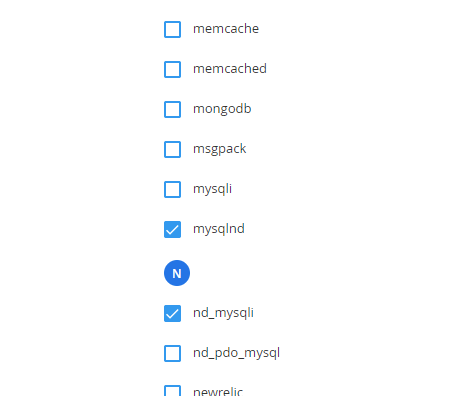
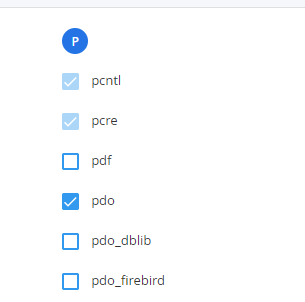
To resolve this issue, enable nd_mysqli instead of mysqli, and disable mysqli if it is currently enabled. This allows PHP applications to use both database drivers simultaneously.
Activate PHP extensions like this:
There are situations where different applications on the same server require different database drivers. For example, WordPress uses the mysqli driver, while other applications may rely on PDO.
This issue typically does not occur with PHP 8.1 or older versions, where mysqli and PDO usually work together without additional configuration. However, PHP 8.1 is already reaching end-of-life status and is considered outdated for production use. Continuing to use older PHP versions due to this issue may delay important server upgrades and expose websites to security risks and compatibility problems with newer software versions.